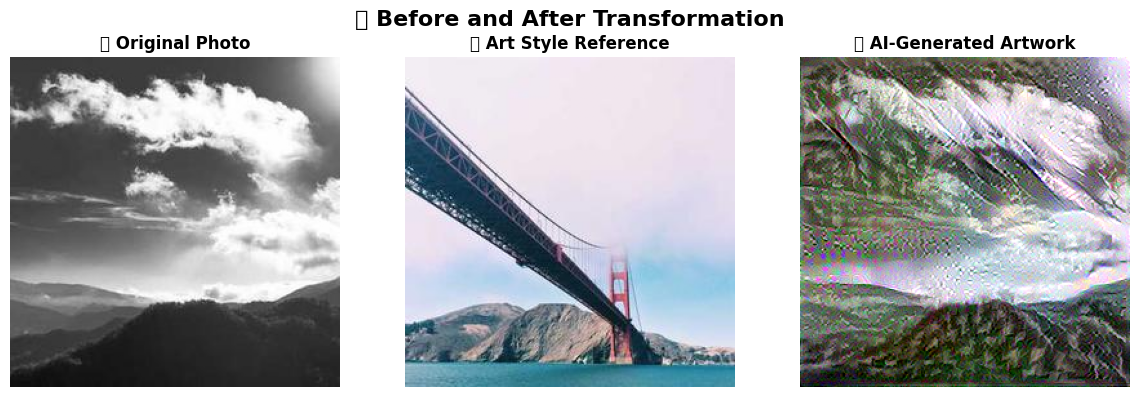
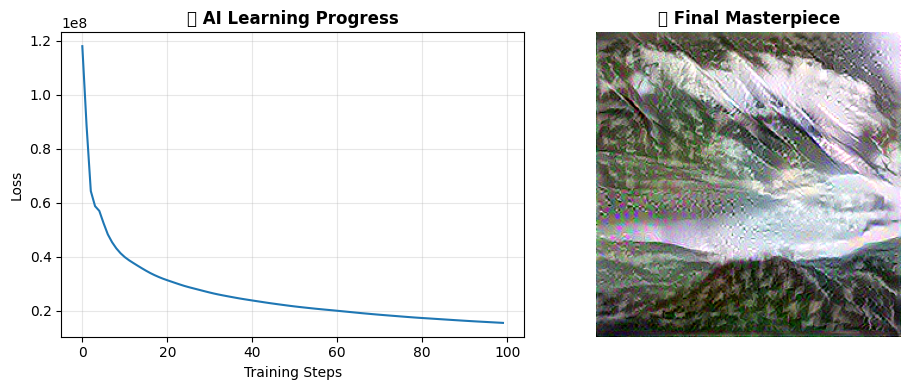
Neural Style Transfer is a fascinating AI technique that demonstrates how deep learning can separate and recombine different aspects of visual information, mimicking the way human artists might reimagine a photograph in the style of a famous painting. The method works by using a pre-trained convolutional neural network (typically VGG19) that has learned to recognize visual features from millions of images, then cleverly exploiting the fact that different layers of this network capture different types of information - early layers detect basic patterns and textures (the "style"), while deeper layers understand objects and composition (the "content"). By defining mathematical loss functions that measure how well an image matches the content of one photo and the style of another artwork, the AI can iteratively optimize a new image through gradient descent, essentially "teaching" it to preserve the recognizable elements of the original photo while adopting the brushstrokes, colors, and artistic techniques of the reference painting. This technique has broad applications beyond just creating artistic images - it's used in video game development for real-time artistic rendering, in augmented reality filters, in architectural visualization to show buildings in different artistic styles, and has even inspired advances in other AI domains like text style transfer and music generation, demonstrating how neural networks can learn to disentangle and manipulate abstract concepts like "style" and "content" in ways that were previously thought to require human creativity and intuition.
Run the cells in order (you can add instructions)
Wait for the AI to process (takes 2-3 minutes)
See the awesome results!
What is the process step by step?
🎨 Neural Style Transfer: Step-by-Step Breakdown
Phase 1: Setup & Preparation
Load Required Libraries - Import TensorFlow, image processing tools, and visualization libraries
Download Pre-trained VGG19 Model - Load a neural network already trained on millions of images
Define Layer Selection - Choose which network layers capture "style" vs "content" information
Load Content Image - Import the photo you want to transform (e.g., landscape, portrait)
Load Style Image - Import the artwork whose style you want to copy (e.g., Van Gogh painting)
Phase 2: Image Processing
Resize Images - Make both images the same dimensions for consistent processing
Normalize Pixel Values - Convert image data to the format the neural network expects
Create Image Tensors - Transform images into mathematical arrays the AI can manipulate
Phase 3: Neural Network Analysis
Extract Content Features - Run content image through deep network layers to capture "what" is in the image
Extract Style Features - Run style image through early network layers to capture textures and patterns
Compute Gram Matrices - Calculate mathematical representations of artistic style patterns
Set Target Values - Store the desired content and style characteristics as reference points
Phase 4: Optimization Process
Initialize Generated Image - Start with a copy of the content image or random noise
Define Loss Functions - Create mathematical measures of how well the image matches content + style
Calculate Content Loss - Measure how different the generated image is from original content
Calculate Style Loss - Measure how different the generated image is from target artistic style
Combine Loss Values - Weight and add content + style losses into single optimization target
Phase 5: AI Learning & Refinement
Compute Gradients - Calculate how to adjust each pixel to reduce total loss
Update Image Pixels - Make small changes to the generated image based on gradient information
Repeat Optimization - Iterate steps 15-19 hundreds of times until the image converges to optimal blend
Phase 6: Results
Generate Final Artwork - Output the optimized image that combines original content with artistic style
Visualize Progress - Display before/after comparisons and training progression
The Magic: Each iteration gradually transforms the image, with the AI learning to preserve recognizable objects and composition while adopting the brushstrokes, colors, and textures of the reference artwork!